01 / CONTROL
Your servers, together.
Start, stop, and restart imported services from your menu bar. No digging through terminal tabs to find the right process.
 Service Launcher
Less terminal housekeeping. More building.
Keep your local servers within reach with a small, native macOS menu-bar app.
macOS 14+ · Apple Silicon · Download from GitHub Releases
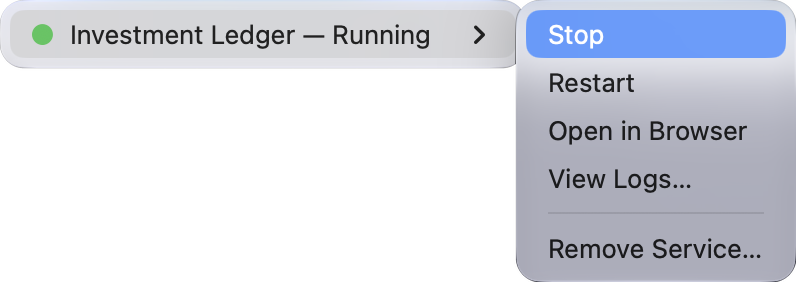
Start, stop, and restart imported services from your menu bar. No digging through terminal tabs to find the right process.
See service status at a glance. Add an optional HTTP health check to tell a running process from a server that’s ready.
Open a service in your browser, jump to its logs, or run project-specific actions defined in its manifest.
FROM INSTALL TO FIRST SERVICE
Bring the projects you already run.
One JSON manifest connects each service.
Download the DMG from the latest release. Open it, drag Service Launcher to Applications, then launch it.
Ask your coding agent to create a manifest using the prompt below, or write one using the JSON schema.
Right-click the menu-bar icon → Import Service…. Select your JSON, review the project folder, and approve. Then start it from the service menu.
Paste this prompt into the coding agent working in your server project. It will inspect the project and generate a service-launcher.json manifest for you to review.
For editor autocomplete and validation, set $schema in your manifest to:https://service-launcher.gorbunov.dev/schema/service.schema.json